Sorority Voting & Elections
Make chapter voting simple, secure and organized.
Every voice, heard and protected
Leaders create votes in the app, choose who can participate and who sees the results, and manage the whole process with ease. Whether you’re slating officers, collecting chapter feedback or making an important decision, Chaptara preserves privacy, promotes transparency and keeps a reliable record for future reference.
What's included
-
Every kind of vote
Yes/no votes, candidate elections with optional write-ins, and multiple choice questions.
-
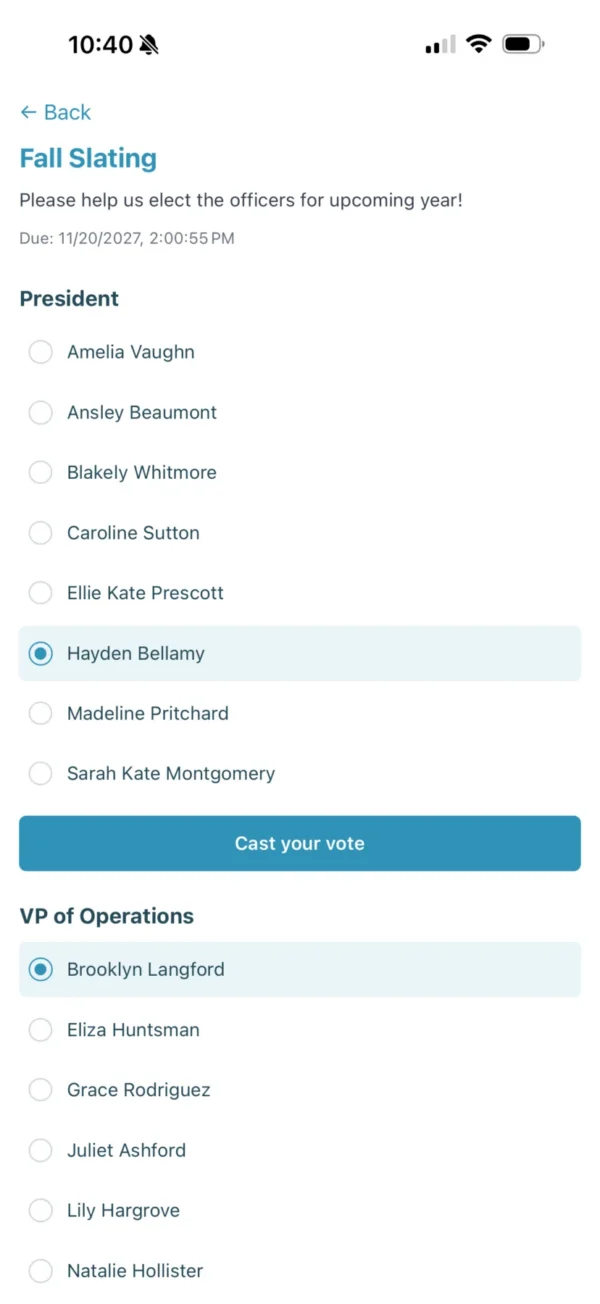
Full slates on one ballot
Put every position, from President to Treasurer, on a single ballot.
-
Anonymous ballots
Ballots are anonymous by default, so members can vote honestly.
-
Eligible voters only
Choose exactly who can vote. No one else will see the ballot.
-
One vote per member
Each member votes once, with a deadline or an early close.
-
Results your way
Counts, percentages and turnout, shared only with the people you choose.
Voting questions
Can sorority elections be anonymous in Chaptara?
Yes. Ballots are anonymous by default, so nobody can see how an individual member voted.
Can we vote on multiple officer positions at once?
Yes. One election can include every position on your slate, and members vote on each one in a single ballot.
Who can see election results?
Your chapter leaders decide. Results can be visible only to the vote’s creator, to officers, or to everyone once they’re published.
Where trust meets transparency
See how Chaptara runs voting for your chapter.