Sorority Points
Take the guesswork out of points.
Recognize the members who show up
By bringing events, opportunities and chapter activities into one place, Chaptara helps every member discover meaningful ways to participate. Leaders post opportunities, members submit their participation from their phones, and points add up automatically, so the right members are recognized every time. With opportunities visible and accessible, both your most involved and least involved members can find their place and deepen their connection to the chapter.
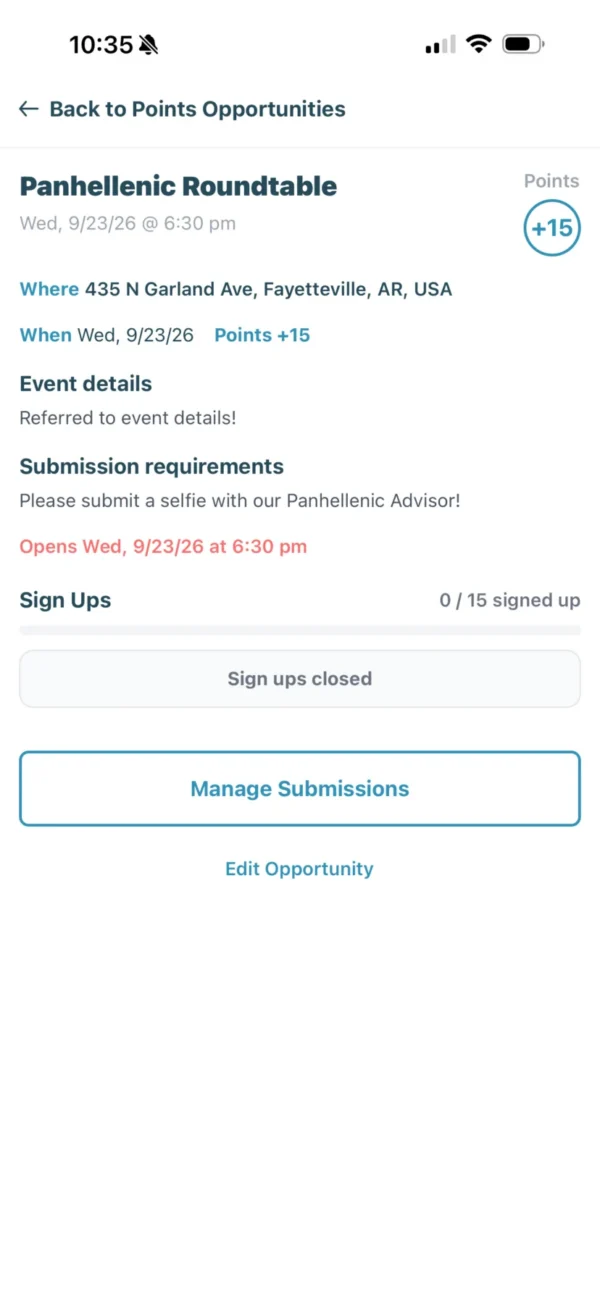
What's included
-
Opportunities
Post events, service and anything else worth points, with clear instructions and dates.
-
Sign-ups
Cap spots and collect sign-ups for opportunities that need them.
-
Submissions with proof
Members submit a photo or note, and officers approve or deny it from one place.
-
Bonuses & penalties
Award or deduct points for one member or a whole group, with a reason on record.
-
Leaderboard
A live leaderboard with a breakdown of where every point came from. You decide who can see it.
-
Exports
Export points by member any time for awards, reports or your advisor.
Points questions
How does a sorority points system work in Chaptara?
Officers post point opportunities with a point value. Members complete them and submit proof in the app, officers approve the submission, and the points are added to the member’s total and the chapter leaderboard.
Can members see the leaderboard?
It’s up to your chapter. You can show the leaderboard to everyone or keep it visible to officers only.
Can points count toward good standing?
Yes. A points minimum can be one of your chapter’s good standing requirements.
Recognize involvement. Inspire more of it.
See how Chaptara runs points for your chapter.